Blog/Sitecore ·20 Oct 2026 ·
Adding an Execute button to the Sitecron admin page
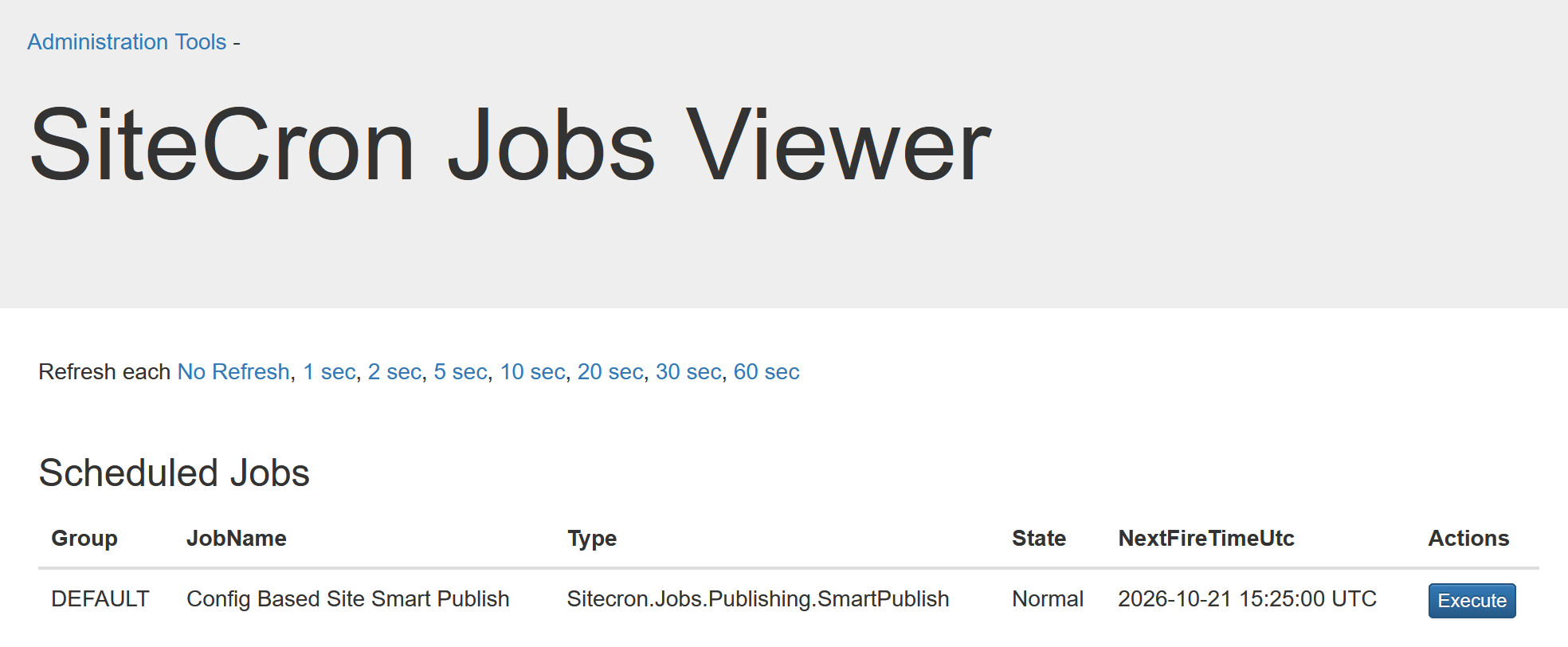
I added an Execute button to the Sitecron admin page and submitted the change as a pull request to the original repository.
Running a Sitecron job on demand
Sitecron is one of the modules I install in every project. It is useful for running jobs on a schedule, but sometimes you want to start a job manually instead of waiting for its next scheduled run. If the job is configured in a config patch, there is no way to do it.
That is why I added an Execute button to the Sitecron admin page to make that possible.
The change
The button lets you trigger a job directly from the admin page. This is handy when you want to run a job on demand—for example, while testing a change or checking its behavior—without changing its schedule.
Contributing it back
Rather than keeping the change in my own copy, I submitted it as a pull request to the original Sitecron repository: https://github.com/akshaysura/Sitecron/pull/46